How Can We Help?
Internal Reference Number
Unfortunately, sometimes PayPal’s IPN system doesn’t notify us properly of a completed payment. This leaves an order in limbo as the system doesn’t know if the customer actually paid or not.
To locate the order in the Dashboard start by getting the internal invoice number from the PayPal notification email.
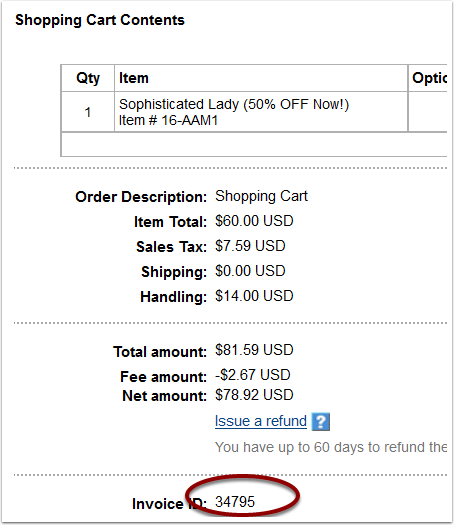
View The Order
You can view the order details by going to https://www.YOURDOMAIN.com/dashboard/core_commerce/orders/search/detail/XXXXX/ <— Replace the XXXXX with the internal reference number.

Update The Status
Orders that have not been paid don’t show up in the Dashboard. (If they did the Dashboard report would be filled with every order where someone placed an item in their cart!)
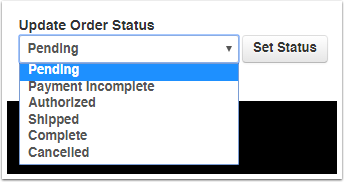
To have the order appear in the Dashboard list change the order status to Authorized or Complete.