
Skip to main content
How Can We Help?
Products
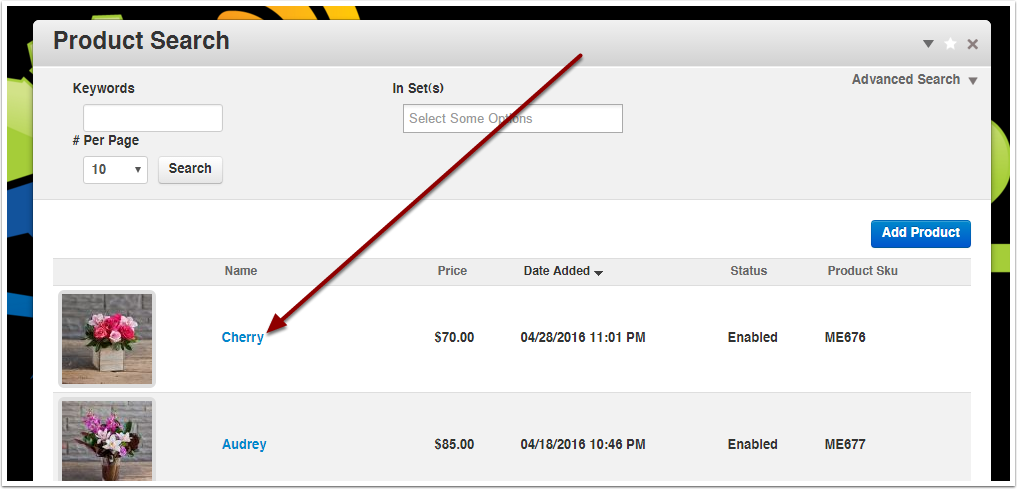
Go to the Products section of the Dashboard and click on the product name
Customer Choices
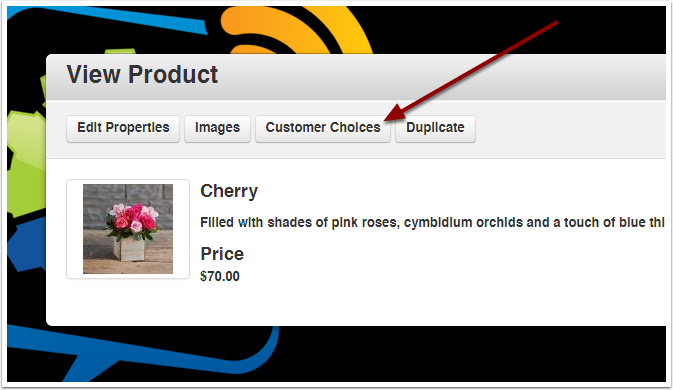
Click the Customer Choices button
Add Customer Choice
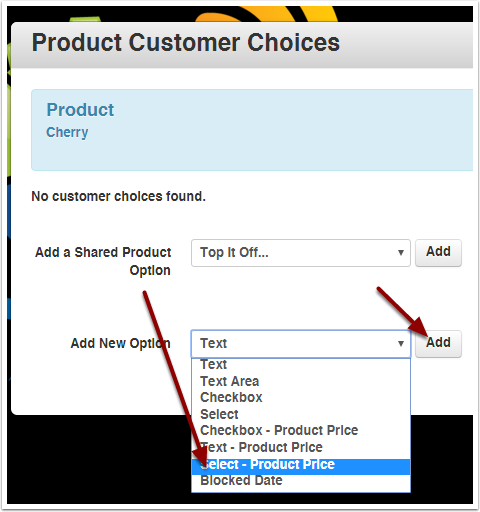
Select an existing global customer choice (ex: Add-on items, standard upgrades), or Add a New Option.
From the dropdown choose Select – Product Price, and click the Add button.
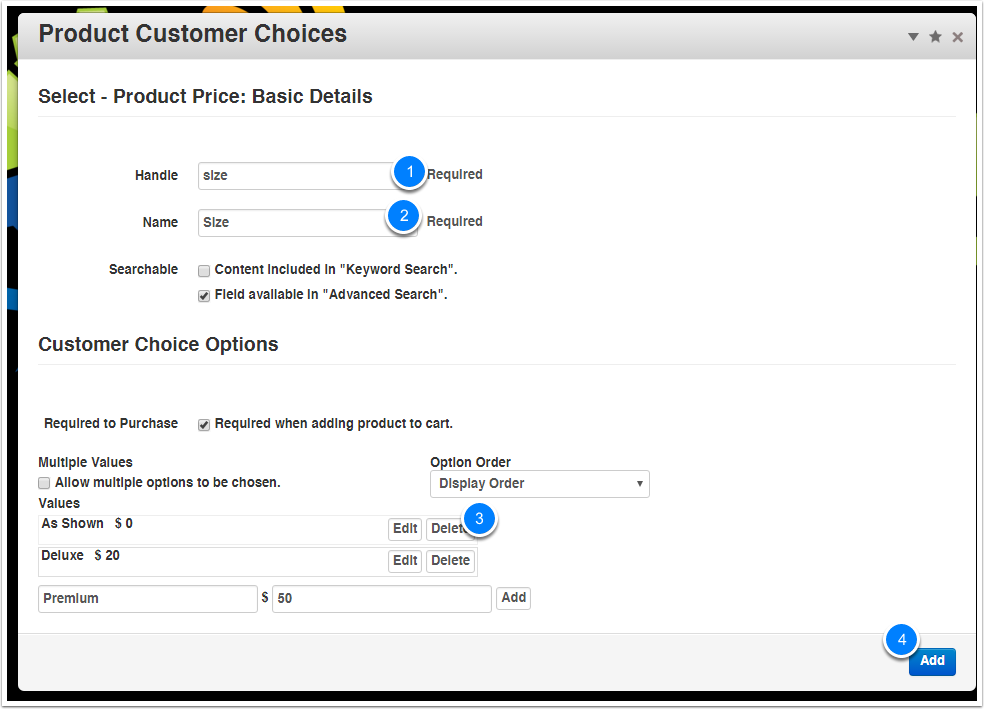
Set Up The Options
- Give the option a handle (for internal use, can have dashes but no spaces)
- Give the option a name (customers will see this)
- Enter options with their names and price delta (Price Delta = difference from base price. Can be $0 for no change, 20 for increase, -20 for decrease, etc.)
- Click the blue Add button to save