
Skip to main content
How Can We Help?
Open The Product
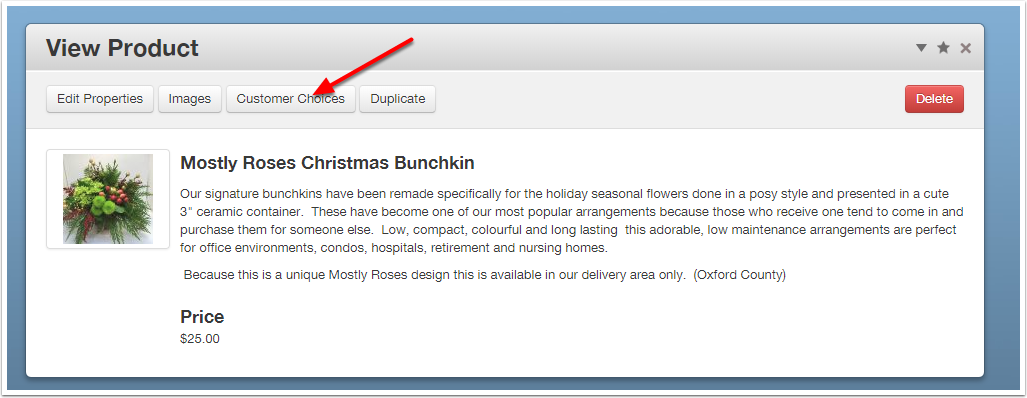
From Ecommerce -> Products select the product you want to edit.
Click the Customer Choices button.
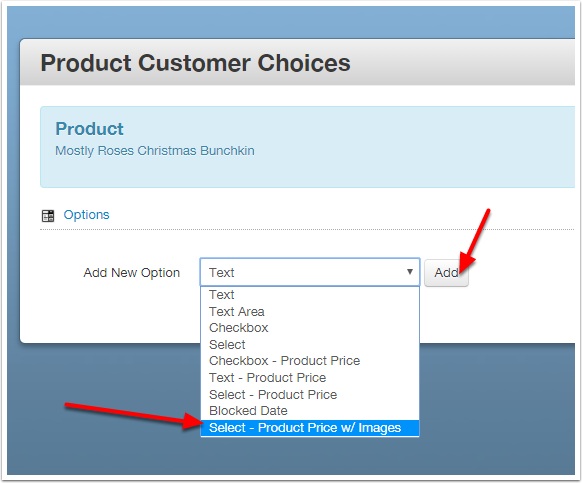
Choose Option Type
From the dropdown pick the Select – Product Price w/ Images option, and click Add.
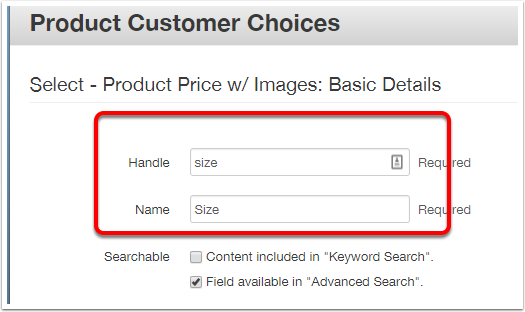
Handle & Name
Enter a one-word handle (internal use) and a name (public use) for this option.
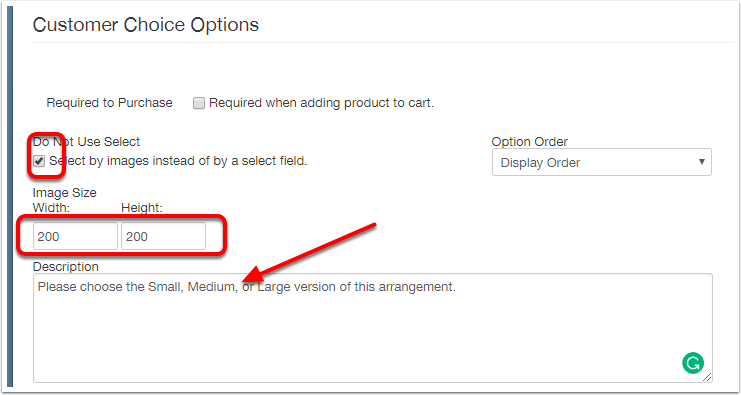
Settings
Set the image size, enter a description or instructions for the customer, and check the "Select by images…" box.
Images
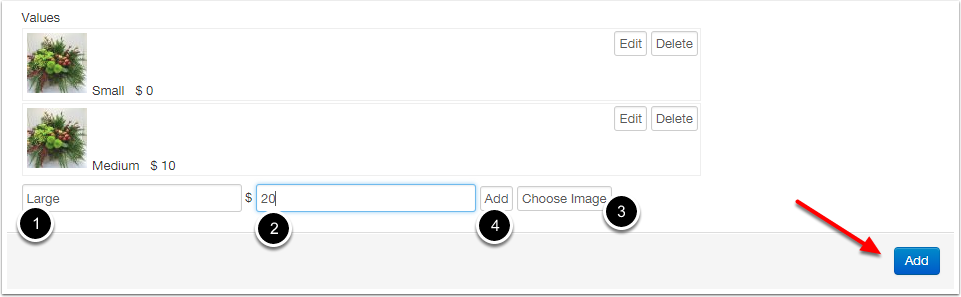
For each option:
- enter a name
- enter a price delta
- click "Choose Image" to select the image for that option
- Click the white Add button
After all of the options are entered click the big blue Add button.
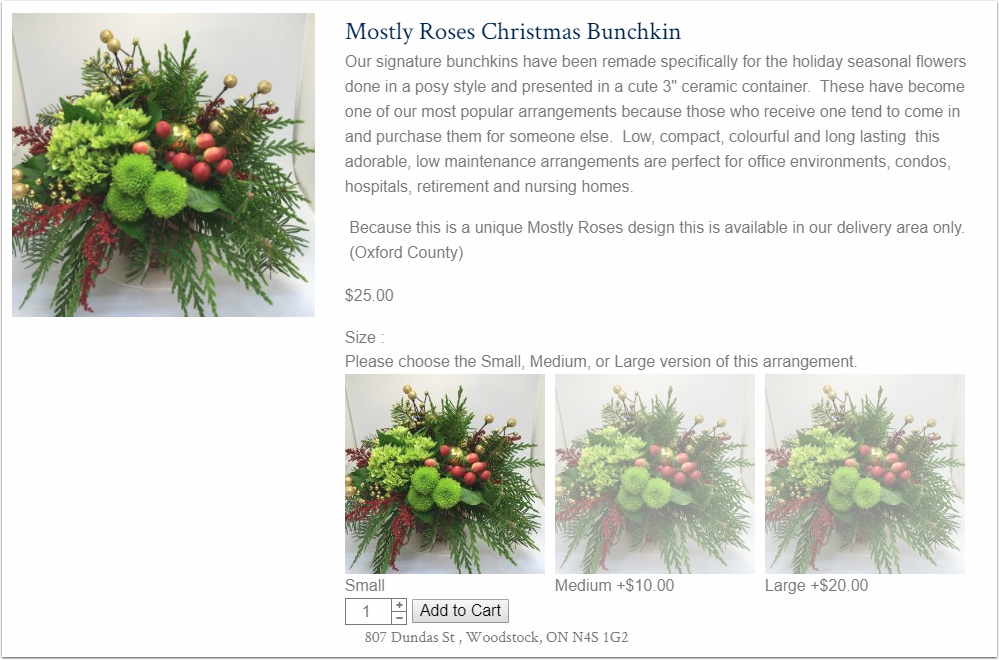
Admire Your Handiwork