
Skip to main content
How Can We Help?
Home :: Flower Income – Google Chrome
Home :: Flower Income – Google Chrome
Home :: Flower Income – Google Chrome
Home :: Flower Income – Google Chrome
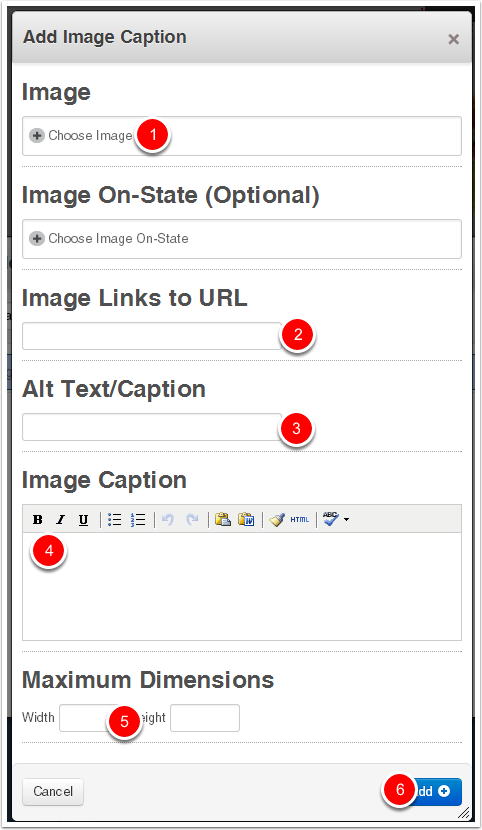
- Click to choose the image
- Set the URL to link to. Ex: /occasions/sympathy/ for a catalogue page, or /flowers/bit-sunshine-basket/ for a product page.
- Type the ALT text
- Enter the caption to be displayed on the page
- Enter "134" as the max width
- Click ADD
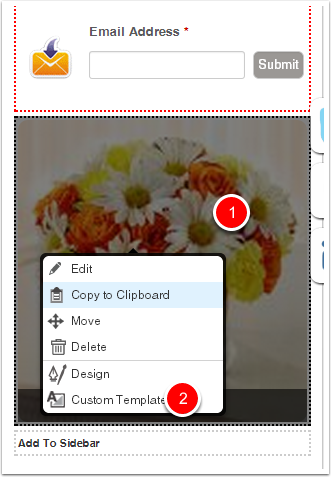
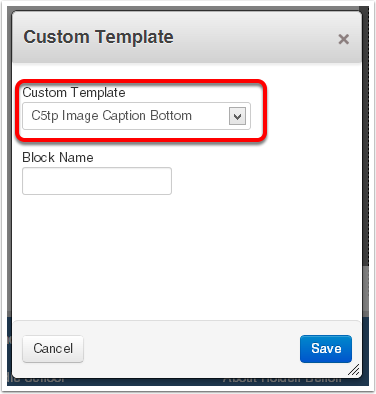
Apply the Custom Template
Click on the image, then choose Custom Template
Home :: Flower Income – Google Chrome
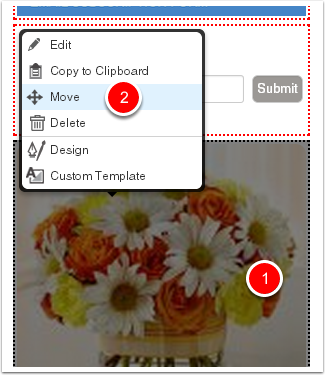
Move the Block
Click on the block, choose Move from the menu, and then drag the block up above the Close Wrapper block and place in the desired sequence.