
Skip to main content
How Can We Help?
Edit The Page
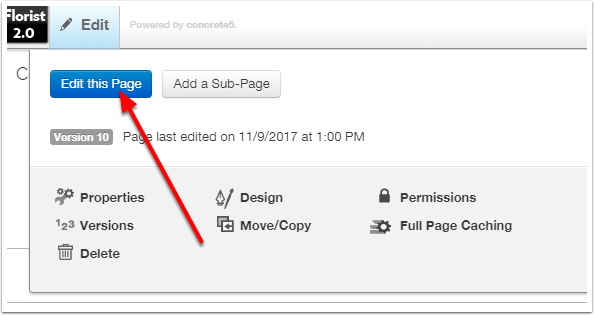
Browse to the page in question, and put the page in Edit Mode.
Edit The PLB
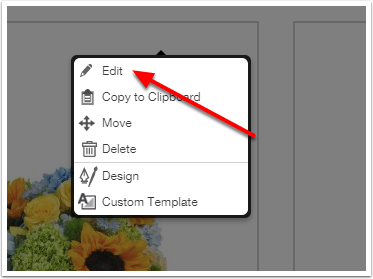
Click on the Product List Block and choose Edit.
Paging & Sorting
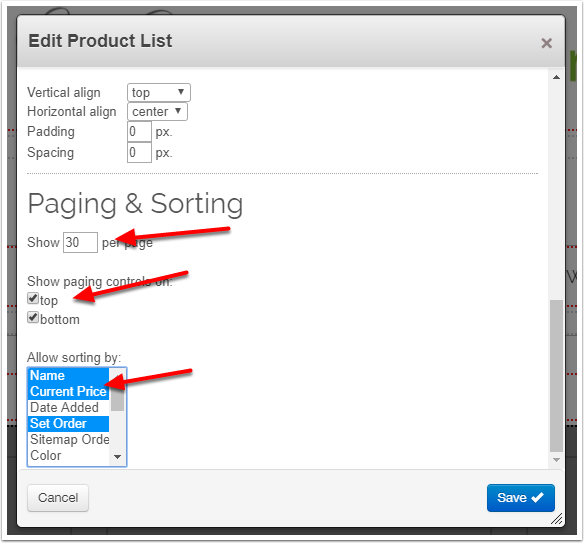
Under the "Results Layout" tab, scroll down to the Paging & Sorting section.
Set the number of products to appear per page.
Select the appropriate values under "Allow sorting by" (Tip: Hold CTRL and click on options in order to select multiple choices.)
Save the changes to the block, and Publish the page.