
Skip to main content


How Can We Help?
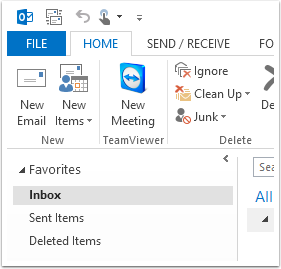
Open Outlook
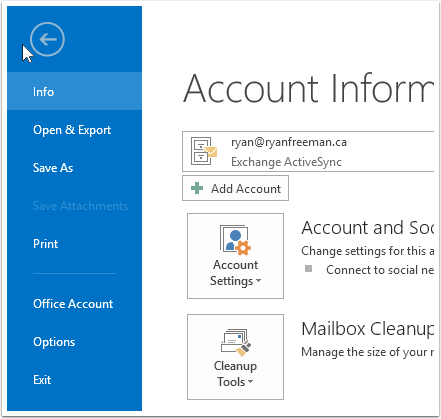
Click on th FILE menu
Add Account
Click on the "+ Add Account" button
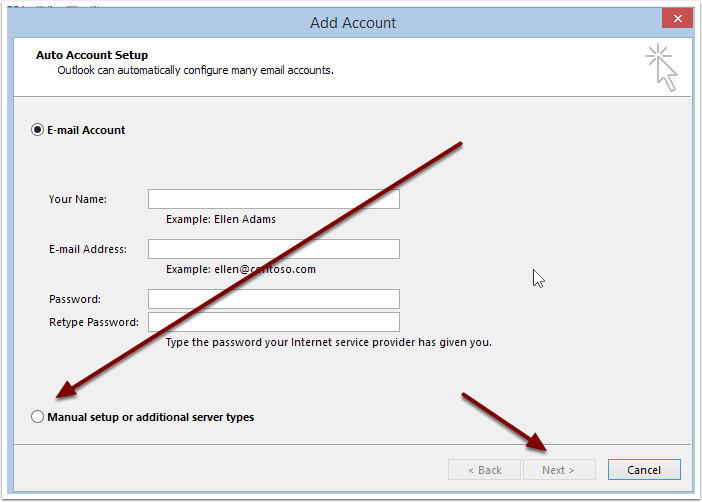
Add Account
Choose "Manual Setup" then click Next
Add Account
Choose "POP or IMAP" and click Next
Add Account
Fill in the fields as shown, using your email address and password. Click on "More Settings…"
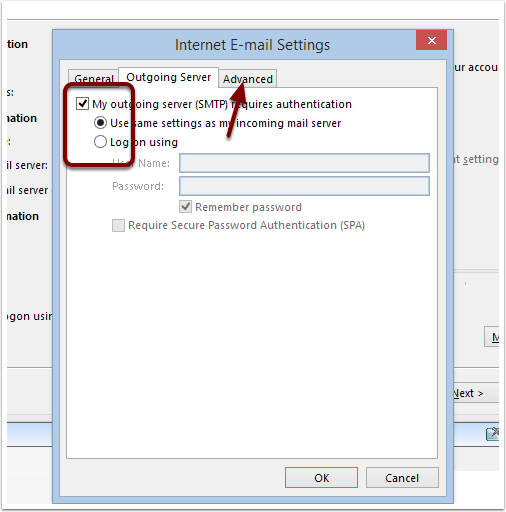
Internet E-mail Settings
On the Outgoing Server tab, check "Requires Authentication" and "Use Same Settings", then click the Advanced tab.
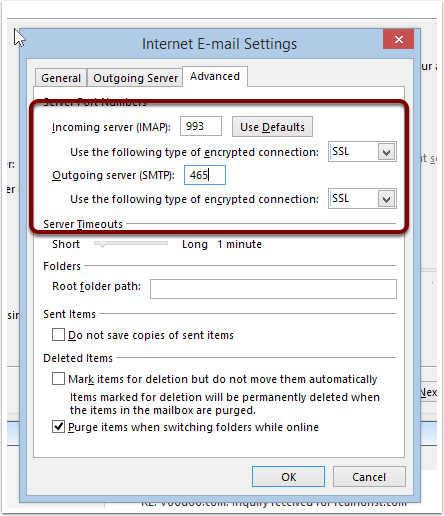
Internet E-mail Settings
Set the port and encryption fields as shown, then click OK to close this dialogue, and then Next.
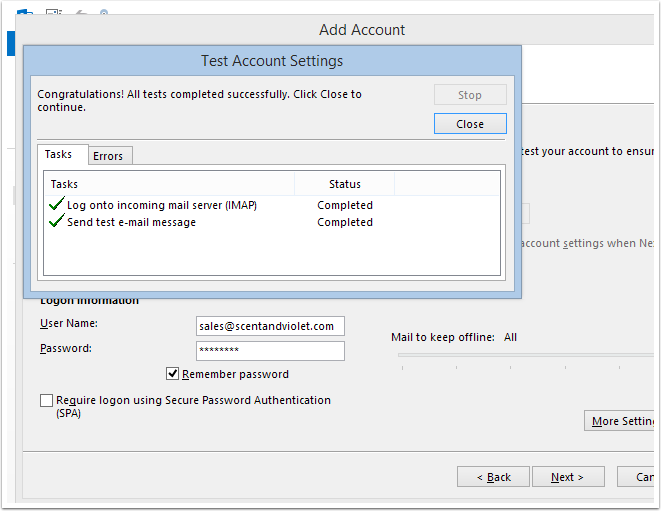
Test Account Settings