
Skip to main content


How Can We Help?
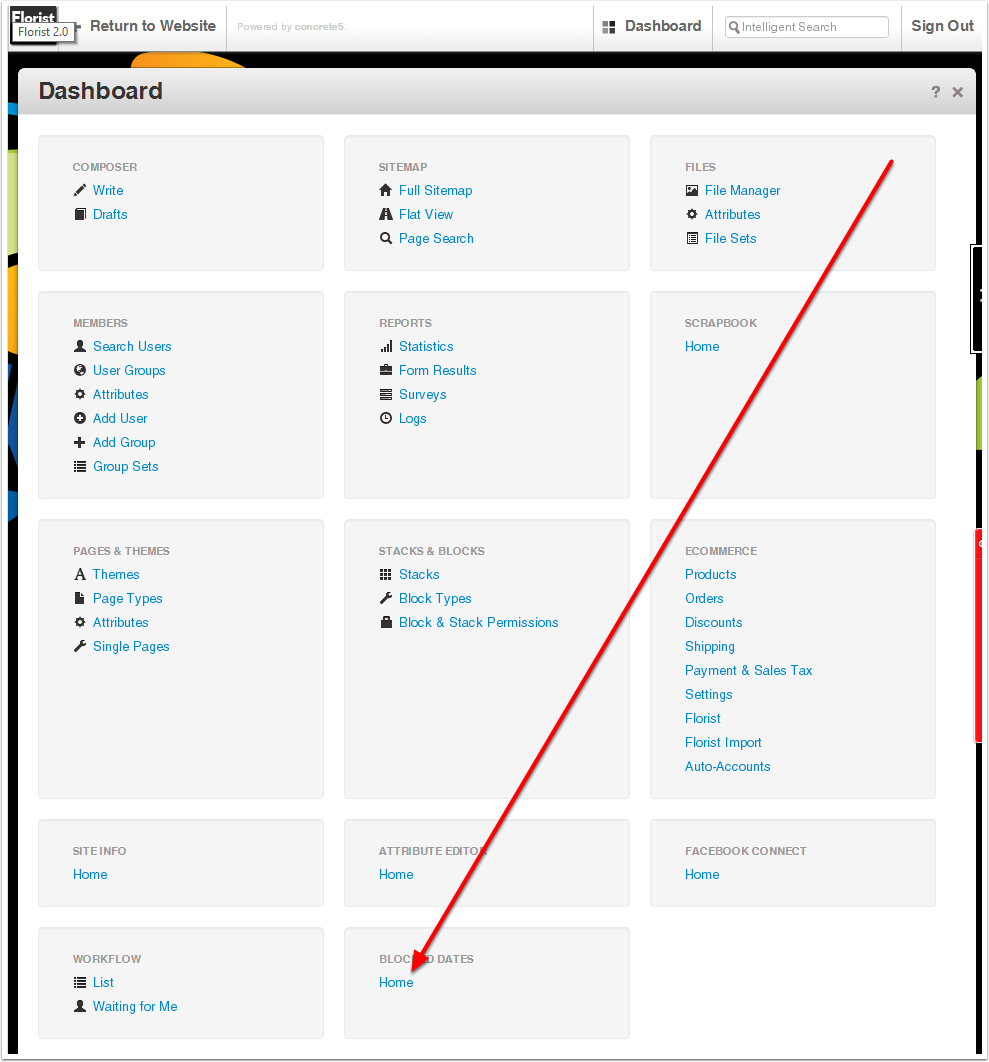
Dashboard
Click on Blocked Dates
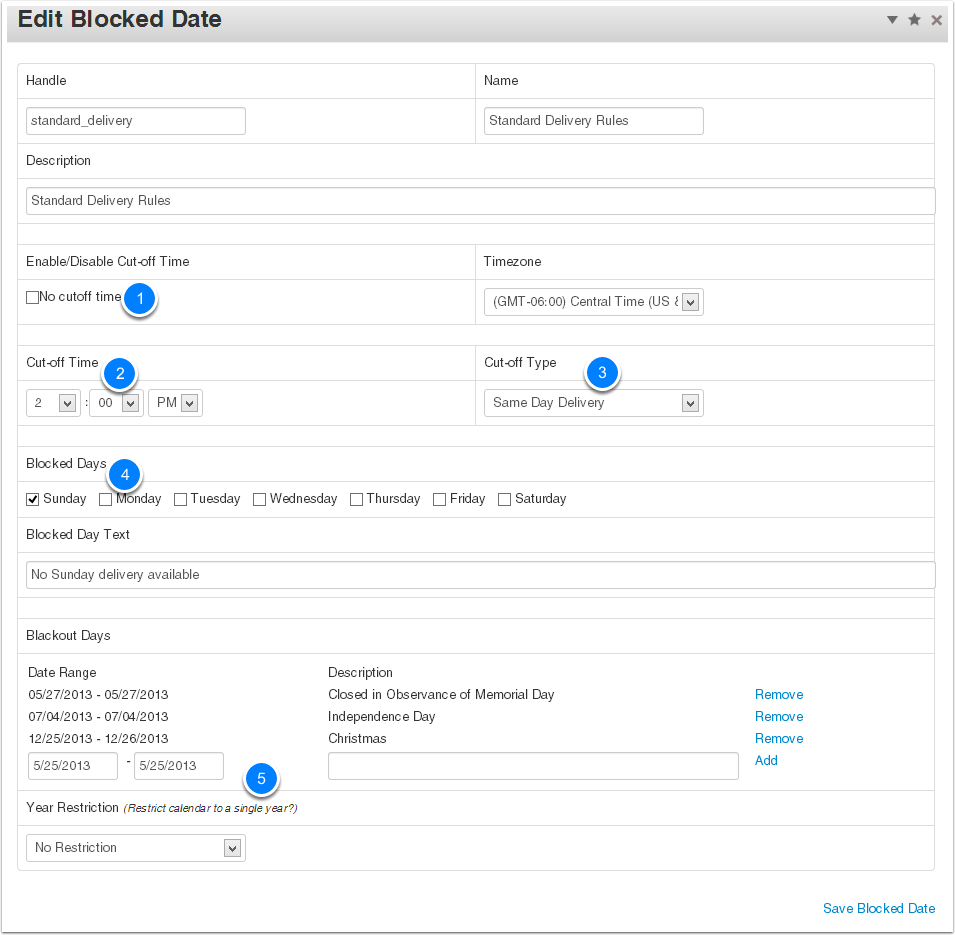
Add / Edit Blocked Date Rule Set
Select an existing Rule Set to edit, or Add a new one
Blocked Date Details
Create the Rule Set by picking:
- If you have a cut-off time …
- What time is it?
- Same Day or Next Day cut-off?
- Select days of the week to block
- Blackout specific days
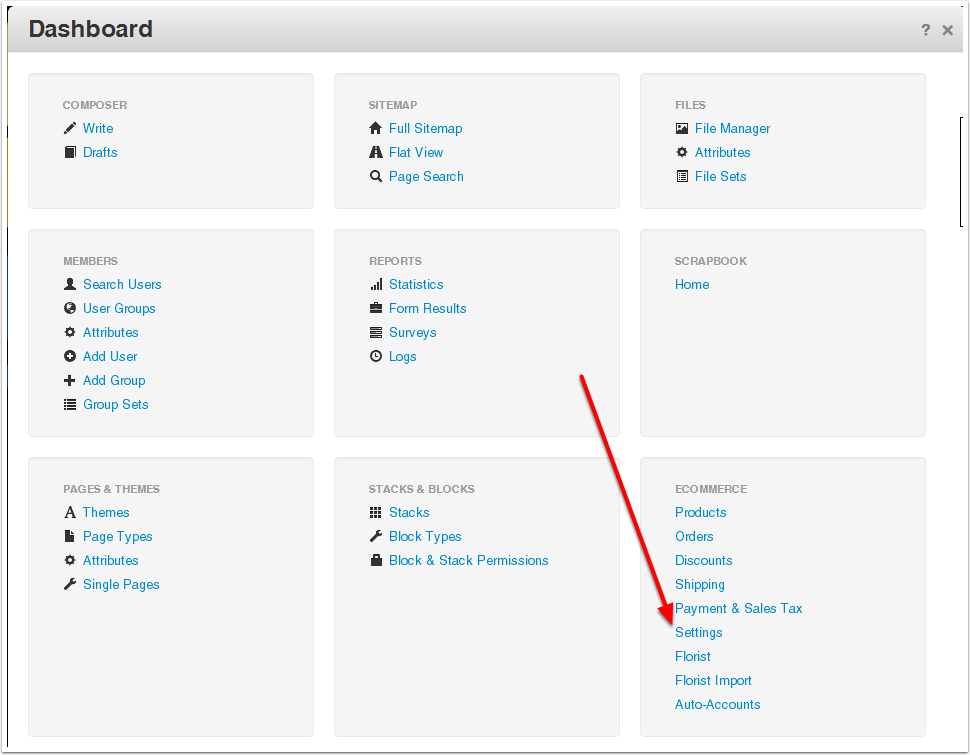
Dashboard
Click on Ecommerce -> Settings
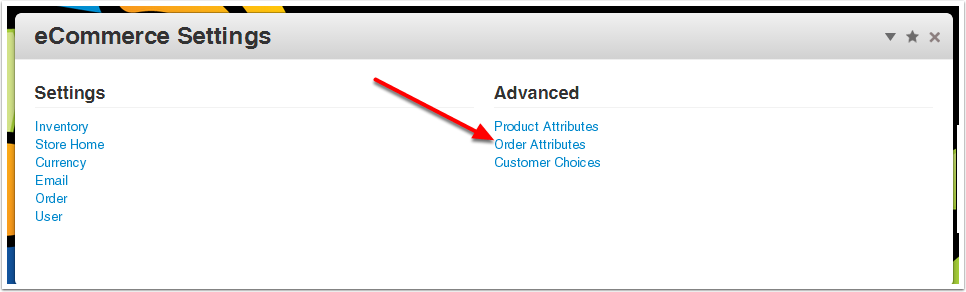
eCommerce Settings
Click on Order Attributes
Order Attributes
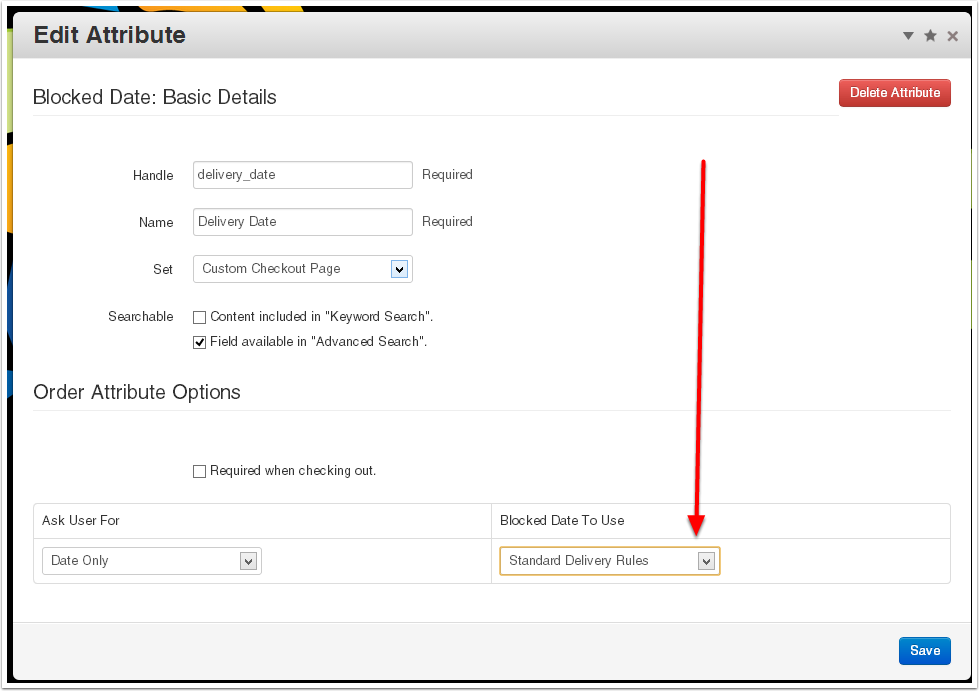
Click on the Delivery Date attribute
Delivery Date Attribute
Select the Rule Set to use